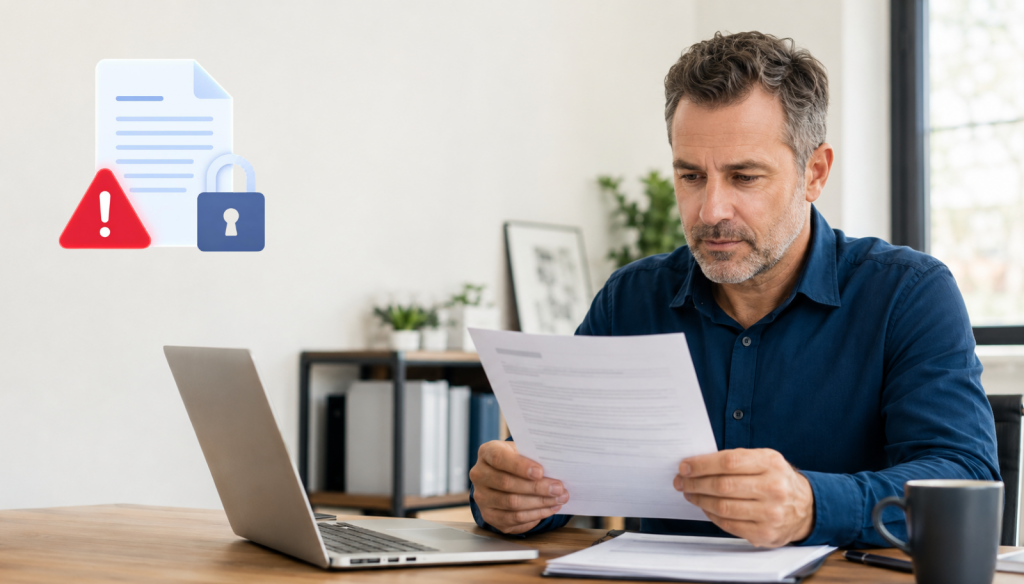
Received a data breach notice? Verify that it is legitimate, find out what information was exposed, and take steps to protect your identity and accounts.
Getting a letter that says your personal information may have been exposed can make your stomach drop.
Was your Social Security number involved? Did someone get your password? Is the notice even real?
The worst thing you can do is panic. The second-worst thing you can do is ignore it.
In this episode of Stimulus Tech Talk, Nathan Whittacre explains what to do after receiving a data breach notice, how to tell whether the alert is legitimate, and which steps can help protect your identity and your business.
As Nathan puts it:
“The first thing you need to do is make sure it’s legitimate.”
Listen to or watch the full episode below, then use these five steps to decide what to do next.
1. Verify That the Data Breach Notice Is Real
Not every message about a data breach is legitimate.
Cybercriminals know people are more likely to act quickly when they feel scared. That is why fake breach alerts often arrive by email or text and include a link, phone number, or urgent request for information.
A legitimate data breach notice will often arrive by physical mail. You may also receive an email, but you should be cautious before clicking anything or providing personal details.
Instead of using the contact information in the message, go directly to the company’s official website or call a phone number you have used before. Ask whether the breach notice is real and whether your information was involved.
You may need to do a little detective work. In some cases, the notice may come from a third-party billing company, payroll provider, medical service, or other vendor you do not recognize. That does not automatically mean the notice is fake, but you should confirm how that company is connected to you.
2. Find Out What Personal Information Was Exposed
Not every data breach carries the same level of risk.
An exposed email address is different from an exposed Social Security number. A stolen password requires a different response than compromised medical or financial information.
The notice should explain what type of personal information was involved. Read it carefully and look for details about whether the breach included:
- Your name, address, email address, or phone number
- Your username, password, or security questions
- Your Social Security number or date of birth
- Your banking, payment, or credit card information
- Your medical, insurance, payroll, or employment records
Knowing what was exposed helps you decide what to protect first. If a password was involved, change it immediately. If financial information was exposed, contact your bank or card provider. If your Social Security number was compromised, credit monitoring or a credit freeze may be worth considering.
3. Change Passwords and Turn On Multi-Factor Authentication
If the breach involved login information, change the password for that account as soon as possible.
You should also change it anywhere else you used the same or a similar password. Reusing passwords makes it easier for criminals to take one stolen login and use it across multiple websites and services.
A password manager can help you create and store a different password for every account. This removes the need to remember dozens of complicated passwords and makes it much harder for one breach to spread into other parts of your digital life.
You should also turn on multi-factor authentication wherever it is available. This adds another step to the login process, such as a code sent to your phone or generated by an authentication app.
Multi-factor authentication is not perfect, but it can stop someone from accessing your account even if they already have your password.
4. Start Monitoring Your Credit and Identity
Once personal information is exposed, you may not be able to take it back.
You cannot easily change your date of birth, and changing a Social Security number is extremely difficult. That means monitoring becomes an important part of protecting yourself after a data breach.
Many companies offer free credit or identity monitoring after a breach. Review the offer carefully, make sure it comes from the legitimate company, and consider enrolling.
You can also set up monitoring directly through the major credit bureaus or use a reputable identity protection service. These services may alert you when someone opens an account, applies for credit, changes an address, or uses your information in a suspicious way.
You may also consider freezing your credit when you are not applying for a new loan, credit card, or financial account. A credit freeze can make it harder for a criminal to open new accounts in your name.
5. Think About How the Breach Could Affect Your Business
For business owners, a personal data breach can quickly become a company problem.
Criminals may use personal information to guess passwords, access company systems, impersonate an owner, or trick employees into sending money.
They may send a message that appears to come from a familiar executive and ask an employee to buy gift cards, change payment instructions, or transfer funds. They may also try to take over business email or social media accounts.
That is why business owners should think beyond personal credit monitoring.
Make sure your business accounts use unique passwords and multi-factor authentication. Review who has access to payroll, banking, email, cloud systems, and social media. Remind employees to verify unusual financial requests through a second communication channel.
Your team should know that a convincing message is not the same thing as a legitimate message.
Do Not Ignore the Notice
A data breach notice does not always mean someone is actively using your information. It does mean you should pay attention.
Start by verifying the notice. Find out what was exposed. Secure the affected accounts, turn on multi-factor authentication, and put monitoring in place.
The goal is not to panic. The goal is to make it harder for someone to use your personal information against you.
Listen on your favorite podcast platform or watch the full episode of Stimulus Tech Talk for Nathan’s complete discussion on breach notices, identity monitoring, passwords, dark web scans, and the extra risks business owners face.
Concerned about whether your business accounts, systems, or employee data are properly protected? Schedule a discovery call with Stimulus Technologies. We will help you understand your risks, identify weak spots, and build a practical plan to protect your business.
Frequently Asked Questions About Data Breach Notices
What should I do first after receiving a data breach notice?
The first step is to verify that the notice is legitimate. Do not click links or call phone numbers in an unexpected email or text. Contact the company through its official website or a phone number you already trust.
How can I tell whether a data breach notice is fake?
Be cautious if the message creates urgency, asks for personal information, or tells you to click a link immediately. Legitimate breach notices often arrive by mail and explain what happened, what information was involved, and what steps the company is offering.
Should I change my password after a data breach?
You should change your password if login information may have been exposed. You should also change it on any other account where you used the same or a similar password.
Should I freeze my credit after a data breach?
A credit freeze may be a good option if sensitive information such as your Social Security number was exposed. It can make it harder for someone to open a new account in your name.
Is free credit monitoring after a breach worth using?
It can be helpful, especially when sensitive financial or identity information was involved. Before enrolling, verify that the offer is legitimate and understand how long the monitoring will last.
Can a personal data breach affect my business?
Yes. Criminals may use personal information to access business accounts, impersonate company leaders, target employees, or attempt fraudulent payments. Business owners should review access to email, banking, payroll, cloud systems, and social media after a serious breach.