


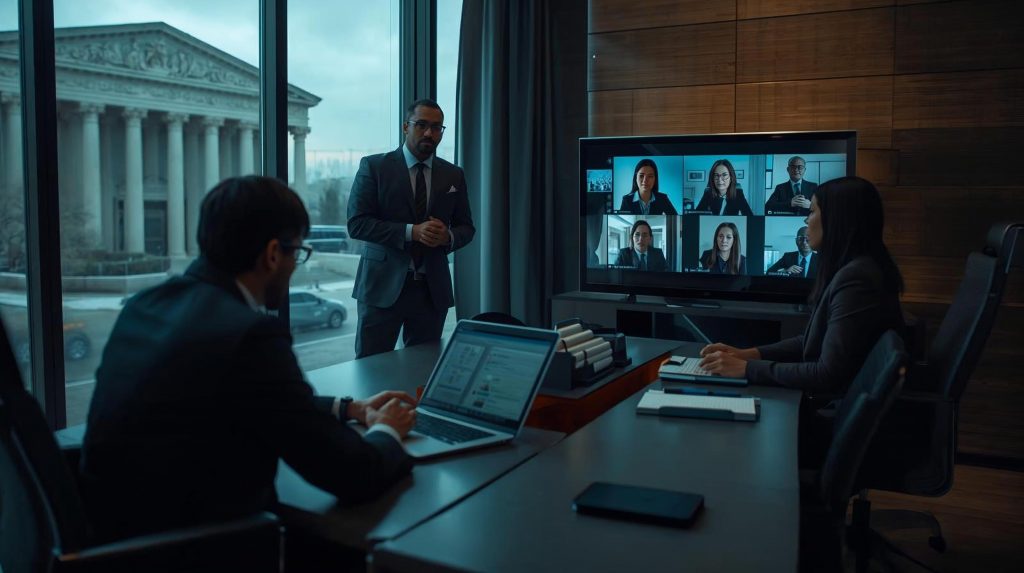
The best cloud and remote work setup for a 10–50 user law firm includes secure cloud document management, multi-factor authentication, remote device security, encrypted backups, and business continuity planning. When these systems are configured correctly, attorneys can securely access files from the office, home, or court while protecting confidential client data and reducing the disruption caused by outages, ransomware, or office access issues.
Many law firms are moving away from traditional office servers and adopting cloud-based IT infrastructure to support secure remote work. For firms with 10–50 employees, the ideal environment usually includes five core components: secure cloud document management, identity protection, remote device management, encrypted backups, and business continuity planning. These systems allow attorneys to access legal documents from anywhere while maintaining strict client confidentiality and stronger operational resilience. For Las Vegas firms, where responsiveness, confidentiality, and continuity matter every day, that shift is less about convenience and more about protecting billable time and client trust.
The 5 Core Components of a Modern Cloud Law Firm
Secure Cloud Document Management
Law firms need secure, reliable access to case files, pleadings, contracts, discovery, and internal records. In a modern environment, that usually means a centralized cloud document platform rather than scattered local drives or an aging office server.
Common platforms include Microsoft 365 and SharePoint, NetDocuments, and Clio document management. Microsoft describes SharePoint and OneDrive as document management tools that support secure sharing, version control, and auditability. NetDocuments emphasizes encryption, access controls, audit trails, and governance features built for legal document workflows. Clio likewise promotes secure legal document storage with permission controls and integrations commonly used by law firms.
Key features to look for include encrypted storage, role-based access controls, version history, and secure document sharing. Version history matters more than many firms realize. If a file is changed accidentally or affected by malicious activity, prior versions can often be restored without the chaos of reconstructing work product from scratch.
Identity Protection and Multi-Factor Authentication
Identity security is one of the most important protections for legal data because email, document systems, and practice platforms are often targeted through stolen passwords. Multi-factor authentication adds a second layer of verification, making unauthorized access far less likely even if a password is compromised. CISA calls MFA a critical security control, and Microsoft research has found that MFA-enabled accounts remain overwhelmingly more secure against account compromise attempts.
For a law firm, essential protections usually include MFA, conditional access policies, and identity monitoring. Conditional access helps ensure that the right people can access the right systems under the right conditions, while suspicious sign-in monitoring helps surface risky login behavior before it becomes a breach. In plain English, this is how you keep a stolen password from turning into a client-data emergency.
Remote Device Security for Attorneys
Attorneys work from home offices, courtrooms, hotels, client sites, airports, and anywhere else the job requires. That flexibility is valuable, but it also expands risk. A secure cloud law firm should treat every laptop and mobile device as a protected endpoint, not just a convenience tool.
That protection should include endpoint detection and response, device encryption, remote device management, and ongoing security monitoring. Microsoft Intune, for example, supports device management, compliance checks, and policies that help block access from compromised devices. It also supports BitLocker encryption for Windows systems, helping protect data if a laptop is lost or stolen. NIST’s telework guidance similarly stresses securing remote-access technologies and client devices against expected threats.
For law firms, this matters because “remote work” is never just remote work. It is confidential communications, deadline-driven filings, and client records moving beyond the four walls of the office. If the device is not secured, the cloud environment is only partially secured.
Cloud Backup and Disaster Recovery
Legal data must be protected against ransomware, accidental deletion, insider error, and hardware or system failures. Cloud platforms improve resilience, but they do not eliminate the need for a separate backup and recovery strategy.
Best practices include immutable backups, geographically redundant storage, and clearly defined recovery objectives. CISA’s ransomware guidance stresses the importance of backup and recovery planning, while Microsoft documents immutable backup vaults as a way to protect recovery points from malicious deletion or tampering. Microsoft also documents redundancy options that replicate data for durability and high availability across zones and regions.
For many 10–50 user firms, a practical goal is a recovery time objective of roughly 1–4 hours for critical systems, depending on the complexity of the environment and the backup architecture in place. The point is not just to have backups. It is to know how fast you can restore operations when something goes wrong.
Business Continuity Planning
Cloud infrastructure makes remote work possible, but business continuity planning makes it usable during a disruption. If the office loses power, the building becomes inaccessible, or a local hardware failure knocks systems offline, attorneys should still be able to work securely from another location.
NIST describes business continuity planning as preparation for a wide range of threats, including technology failures, and Microsoft defines business continuity as the ability to continue operations during outages or disasters through proactive planning and resilient systems. For a law firm, that means documented response procedures, communication plans, remote work readiness, and tested recovery processes.
With cloud systems in place, attorneys can often resume work from any secure internet connection rather than waiting for someone to physically repair an office server. That kind of continuity protects deadlines, client communication, and revenue.
Why Traditional On-Premise Servers Are Becoming Risky for Law Firms
Many law firms still rely on an office-based server because that model once felt familiar and controllable. The problem is that a single physical server often becomes a single point of failure. If hardware fails, the office loses power, internet service goes down, or ransomware spreads through the local environment, the firm can lose access to critical files all at once.
Traditional on-premise setups also tend to mean expensive hardware refreshes every few years, inconsistent remote access, and heavier dependence on a physical office location. Cloud environments do not remove risk, but they distribute it more effectively across professionally managed infrastructure, stronger identity controls, and better recovery options. That matters for law firms because downtime is never just an IT issue. It is lost billable work, client frustration, and avoidable stress.
Real Example: 30-User Law Firm Migrates to the Cloud
Consider a 30-user law firm with attorneys and support staff relying on an aging office server. Remote access works inconsistently. Staff can reach files only through clunky workarounds. Backups exist, but no one is fully confident they can be restored quickly under pressure.
A better solution would include migrating documents to Microsoft 365, enabling MFA for all users, deploying endpoint protection across every laptop, and implementing encrypted cloud backups with defined recovery objectives. The results are straightforward: attorneys can securely access case files from any location, collaboration improves, and downtime risk drops because the firm is no longer tied to one server sitting in one office. That kind of modernization is especially valuable for firms in the 10–50 user range, where every employee’s productivity has a visible effect on the entire practice.
Signs Your Law Firm Should Consider Moving to the Cloud
Your firm should seriously consider cloud migration if your server is more than five years old, remote access is unreliable, backups are not tested regularly, cybersecurity controls are limited, or attorneys need smoother access to files while traveling or working from home.
Those warning signs usually point to a bigger issue: the firm’s IT environment is holding the business back. For a 10–50 employee law firm, the cloud is often the most practical way to improve flexibility without sacrificing security. It gives lawyers better access to the tools they need while giving leadership better control over security, resilience, and support.
Frequently Asked Questions About Cloud IT for Law Firms
Is cloud storage secure for law firms?
Yes, when it is configured properly. Enterprise cloud platforms such as Microsoft 365, NetDocuments, and Clio use security features like encryption, access controls, and governance tools that help protect sensitive legal data. The bigger issue is usually configuration and management, not whether the cloud itself can be secure.
Can attorneys securely access files from home?
Yes. Secure remote access is possible when firms combine cloud document platforms with MFA, device compliance policies, encryption, and remote device management. NIST specifically addresses the need to secure remote-access technologies and the devices used for telework.
How much does cloud IT typically cost for a law firm?
Costs vary based on user count, security requirements, compliance needs, and support scope. Recent market examples put managed IT and cloud support for law firms roughly in the low hundreds of dollars per user per month, with stronger cybersecurity and compliance requirements pushing costs higher.
What happens if a law firm’s office loses power?
If the firm’s systems are cloud-based and remote access is properly configured, attorneys can usually continue working from home or another location because email, files, and line-of-business systems are not dependent on one office server. That is exactly why business continuity planning matters.
Do cloud systems improve disaster recovery?
Yes. A well-designed cloud environment with immutable backups, redundancy, and tested recovery procedures usually allows a much faster recovery than a traditional single-server setup. The key is planning the recovery process in advance instead of assuming the platform alone solves it.
Key Takeaways
Cloud infrastructure allows attorneys to securely access files from anywhere. A modern law firm should implement five core IT components for cloud operations: document management, identity protection, remote device security, backup and disaster recovery, and business continuity planning. When those pieces work together, firms gain stronger security, better collaboration, and faster recovery from disruptions. For firms with 10–50 employees, that balance of flexibility and protection is often where cloud-first IT makes the biggest impact.
How Stimulus Technologies Supports Cloud IT for Law Firms in Las Vegas
Stimulus Technologies helps law firms modernize their IT infrastructure with secure cloud environments designed for legal operations. That includes cloud migration planning, Microsoft 365 implementation, cybersecurity protections, secure remote work environments, backup and business continuity planning, and vendor coordination for legal technology platforms.
For Las Vegas law firms, the goal is simple: protect confidential client information without making attorneys fight their own technology. The right cloud setup should give your team secure access, predictable support, and the confidence that work can continue whether you are in the office, at home, or walking into court. That is the kind of stability legal teams need, and it is exactly what a well-built cloud environment is meant to deliver.
Request a Law Firm Cloud Readiness Assessment
If your firm is still relying on an aging server, inconsistent remote access, or untested backups, now is the time to evaluate whether your current setup is truly protecting your practice.
Request a Law Firm Cloud Readiness Assessment to identify security gaps, improve remote work, and build a more resilient IT environment for your attorneys and staff.



