
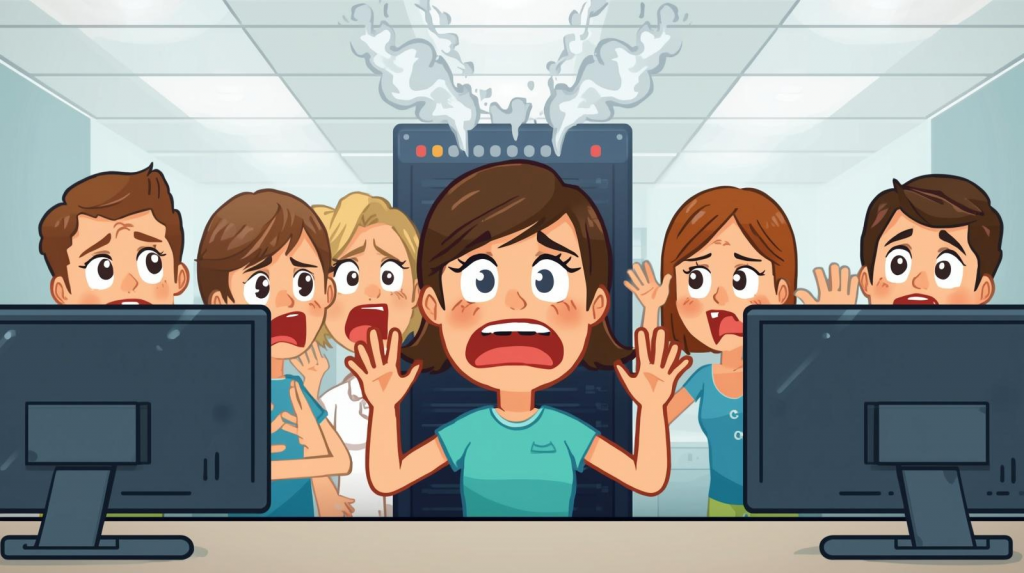
When a dental office server goes down during patient hours, the impact is immediate: your team may lose access to scheduling, patient records, imaging, billing, and insurance tools all at once. That can bring the day to a halt, delay treatment, frustrate patients, and cost the practice real revenue. For most dental offices, even a brief outage is not just an inconvenience. It is a business interruption.
In Las Vegas, where dental practices often run on tight schedules and high patient expectations, downtime can ripple through the entire day fast. Practices here depend heavily on practice management systems, imaging platforms, secure backups, and stable networks to keep operations moving. They also tend to prefer proactive MSP partners with local presence, fast response, and familiarity with dental software such as Dentrix.
Most dental practices invest in managed IT services costing about $115–$180 per user per month, because that level of support often includes monitoring, backup systems, cybersecurity, and rapid response that help restore systems quickly and reduce downtime.
Quick Answer: Dental Server Downtime
If your dental office server goes down during business hours, staff may lose access to Dentrix, patient charts, treatment notes, imaging systems, scheduling, and billing. That usually means appointments slow down or stop, front desk workflows break, and patient care is disrupted. With the right IT support, systems can often be restored quickly through secure backups, failover tools, or rapid troubleshooting. Without a recovery plan, downtime can stretch from hours into days.
What Systems Are Affected When a Dental Server Goes Down?
Dental practices rely on centralized technology for nearly every part of the workday. When a server fails, it can affect:
- Dentrix or other practice management software
- Patient charts and treatment records
- Scheduling and appointment systems
- Digital imaging systems
- Billing and insurance processing
- Internal network access across the office
Many dental offices operate on small local networks with servers that support front desk workstations, operatories, imaging tools, and patient data access. When that central system fails, the entire practice can struggle to function normally.
That is especially true in practices using integrated platforms and imaging systems that depend on fast, secure access to large files and patient records. In other words, one server issue can quickly turn into an office-wide problem.
Dental practices using systems like Dentrix should also understand what IT company specializes in Dentrix support to ensure proper system management.
The Immediate Impact on a Dental Practice
A server outage during patient hours creates two kinds of damage at once: operational disruption and financial loss.
Operational Impact
When systems go down, the team may face:
- Inability to access patient records
- Delays in procedures and treatments
- Disruption of front desk operations
- Communication breakdown between staff
For a practice owner, this is where stress spikes. You are trying to care for patients, keep the schedule moving, answer team questions, and make decisions without full information. That kind of unpredictability is exactly what many dental owners want to avoid. They want reliable systems, clear communication, and an IT partner who responds fast instead of leaving them in the dark.
Financial Impact
Downtime also affects the business side of the practice:
- Lost revenue from cancelled appointments
- Reduced patient throughput
- Staff downtime
- Overtime required to recover the scheduling backlog
Even a few hours offline can create a backlog that lasts for days. In a competitive market like Las Vegas, that can hurt both revenue and patient experience. Dental practices in the area already face pressure from chain offices, high patient expectations, and the need to protect their reputation.
Many of these risks can be reduced by understanding how dental practices prevent ransomware attacks, which is a common cause of outages.
The 4-Step Dental IT Recovery Framework
The fastest recoveries usually follow a clear process. When a server goes down, a structured response helps restore order and reduce damage.
1. Immediate Diagnosis
The first step is identifying the cause and scope of the issue. That may include:
- Hardware failure
- Network disruption
- Power event
- Software corruption
- Ransomware or another cyberattack
The goal is to determine what failed, what systems are affected, and whether the problem is isolated or office-wide.
2. Containment
Once the problem is identified, the next priority is limiting further damage. That may involve:
- Isolating affected systems
- Preventing spread across the network
- Stopping unsafe access or syncing
- Protecting backups from compromise
This step is especially important if the outage is related to malware, ransomware, or unauthorized access.
3. System Restoration
After containment comes recovery. Depending on the cause, that may involve:
- Restoring from secure backups
- Repairing or replacing failed hardware
- Rebuilding corrupted services
- Reconnecting workstations and network systems
Dental practices with automatic encrypted backups and documented disaster recovery plans are far more likely to recover quickly and cleanly. Offsite backups, routine testing, and vendor coordination all matter here.
4. Verification and Testing
Before the office is fully back to normal, every critical system should be checked. That includes:
- Dentrix or practice management access
- Imaging system connectivity
- Network performance
- User logins and permissions
- Data integrity and record availability
The goal is not just to get the server back on. It is to make sure the practice can safely resume patient care.
How Long Does It Take to Recover from Server Downtime?
Recovery time depends less on luck and more on preparation.
Typical scenarios look like this:
- With proper backup and IT support: a few hours
- With limited backup systems: 1–2 days
- Without backups or planning: several days or longer
Practices with proactive monitoring, tested backups, and rapid support usually recover much faster than practices relying on reactive, break-fix help. That is one reason so many dental offices prefer flat-rate managed services over waiting until something breaks. Predictable support reduces both downtime and surprise costs.
Practices evaluating support options should also review how much IT support costs for dental offices to ensure they have proper coverage.
How Dental Practices Prevent Extended Downtime
The best downtime strategy is prevention.
Dental offices can reduce the risk of prolonged outages by putting the right protections in place:
- Proactive server monitoring
- Regular maintenance and updates
- Secure, tested backup systems
- Cloud or hybrid failover solutions
- 24/7 IT support availability
Las Vegas dental practices often do not have dedicated in-house IT staff, which makes proactive outside support even more important. Most rely on practice management software, imaging, internet connectivity, phones, and integrated devices that all need to work together. When one piece fails, everything can slow down. A proactive MSP helps prevent that chain reaction.
One of the smartest ways to reduce the risk of a full-office outage is learning how to prevent ransomware attacks before it spreads through the network.
Let’s face it, here in Vegas, your patients do not care why the system is down. They just know their appointment is delayed. The offices that protect their reputation best are the ones that plan ahead.
Many practices also evaluate whether they should hire in-house IT or outsource IT support to ensure consistent coverage.
If you are evaluating whether your current support is enough, it helps to understand how much dental IT support costs so you can compare the cost of prevention against the cost of downtime.
Example: Las Vegas Dental Practice Server Outage
Imagine a Las Vegas dental practice loses server access at 10:15 a.m. during a full patient schedule. Suddenly, the team cannot open the schedule, review charts, or pull up treatment information. Imaging access slows to a stop. The front desk cannot process routine billing and insurance tasks.
Because the practice has managed IT support and backup systems in place:
- The issue is diagnosed quickly
- The affected systems are contained
- Data is restored from backup
- Core operations resume the same day
Without a recovery plan, that same outage could easily extend far beyond business hours and spill into the next day or longer.
This kind of scenario matters to buyers like Dr. Megan Carter, the kind of practice owner who wants peace of mind, predictable costs, fast support, and an IT partner who understands dental systems without needing everything explained twice.
Key Takeaways: Dental Server Downtime
A dental office server outage can disrupt scheduling, patient records, imaging, billing, and day-to-day workflows. During patient hours, that means lost time, lost revenue, and a poorer patient experience.
The most important things to remember are:
- A server outage can stop core practice operations fast
- Downtime affects both patient care and profitability
- Recovery time depends heavily on backup systems and IT readiness
- A structured recovery process reduces confusion and speeds restoration
- Proactive monitoring and disaster recovery planning are essential
Why Las Vegas Dental Practices Choose Stimulus Tech
At Stimulus Technologies, we know you want to be seen as a proactive, forward-thinking practice leader who delivers excellent patient service without interruptions. To do that, you need reliable systems, strong cybersecurity, and support that responds right away when something goes wrong. The frustration comes when your current IT company is slow to answer, slow to act, and leaves your team dealing with costly downtime. Stimulus is built around live 24/7 response and immediate ticketing so resolution starts right away.
Here is why Las Vegas dental practices turn to Stimulus Tech:
- 30 years supporting small and mid-sized businesses
- Support for approximately 20 dental practices in Las Vegas
- 24/7 help desk and rapid response support
- Local technicians available for onsite recovery
- Familiarity with Dentrix and dental systems
- Backup and disaster recovery solutions included
- Dedicated Technology Account Managers
Dental practices in Las Vegas tend to value local support, dental-specific software knowledge, proactive monitoring, HIPAA-aware security, and predictable monthly IT costs. That is exactly where a specialized MSP can stand apart from generic providers.
FAQ: Dental Server Downtime
What causes a dental server to go down?
Common causes include hardware failure, network issues, power outages, software corruption, and cyberattacks such as ransomware.
How long can a dental office operate without a server?
Most dental offices can only operate in a limited capacity without server access because key systems like scheduling, imaging, and patient records are tied to that infrastructure.
Can patient appointments continue during downtime?
Some limited tasks may continue manually, but most practices experience significant disruption. Delays, incomplete records, and front desk bottlenecks are common.
How can dental practices prevent server downtime?
The best protection includes regular maintenance, proactive monitoring, secure backups, disaster recovery planning, and cybersecurity safeguards.
How much does downtime cost a dental practice?
Even a short outage can mean cancelled appointments, staff inefficiency, delayed billing, and lost production. The true cost usually includes both immediate lost revenue and the extra labor required to catch back up.
Schedule a Dental IT Assessment
If your dental practice is not prepared for server downtime, the consequences can be expensive fast: lost revenue, disrupted patient care, stressed staff, and unnecessary risk.
Stimulus Tech helps Las Vegas dental practices stay operational with:
- Proactive monitoring
- Backup and disaster recovery planning
- Dentrix system support
- 24/7 help desk and rapid response
With 30 years of experience and support for 20+ dental practices in Las Vegas, Stimulus understands how critical uptime is to your business. We know how frustrating it is when you cannot get help when you need it, which is why we answer live 24/7 and move quickly to resolve issues.
Schedule your Dental IT Assessment today and make sure your practice is secure, reliable, and ready for the unexpected.